This site uses essential cookies to ensure its proper functioning and improve the user experience. Some technical cookies also allow anonymous audience measurement. You can accept or refuse their use at any time in your preferences.
Les cookies fonctionnels sont strictement nécessaires pour fournir les services de la boutique, ainsi que pour son bon fonctionnement, il n'est donc pas possible de refuser leur utilisation. Ils permettent à l'utilisateur de naviguer sur notre site web et d'utiliser les différentes options ou services qui y sont proposés.
Cookie
Provider
Purpose
Expiry
PHP_SESSID
matts-digital.com
Le cookie PHPSESSID est natif de PHP et permet aux sites web de stocker des données d'état sérialisées. Sur le site web, il est utilisé pour établir une session d'utilisateur et pour transmettre des données d'état par le biais d'un cookie temporaire, communément appelé cookie de session. Ces cookies ne resteront sur votre ordinateur que jusqu'à ce que vous fermiez votre navigateur.
Session
PrestaShop-#
matts-digital.com
Il s'agit d'un cookie utilisé par Prestashop pour stocker des informations et garder la session de l'utilisateur ouverte. Il stocke des informations telles que la devise, la langue, l'identifiant du client, entre autres données nécessaires au bon fonctionnement de la boutique.
Collecter des informations sur la navigation de l'utilisateur dans la boutique, généralement de manière anonyme, bien que parfois elles permettent également d'identifier l'utilisateur de manière unique et sans équivoque afin d'obtenir des rapports sur les intérêts de l'utilisateur pour les produits ou services proposés par la boutique.
Pico Business combines three complementary solutions for business use: Pico Business Streaming, Pico Business Suite and Pico Business Device Manager. They allow you to harness the power of a PC, monitor headset usage, and remotely manage a Pico fleet.
Matts Digital We assist companies in selecting Pico Business solutions, setting up headsets, and deploying their XR environments. Our teams configure the software, ensure the secure deployment of the fleet, and facilitate its day-to-day management.
Pico Business brings together several complementary tools to Manage your devices, customize the user experience, and oversee your business use.
Easy management
Centralize the configuration and monitoring of your Pico headsets
Rapid Deployment
Prepare, configure, and commission your fleet
Tailored experience
Tailor access and content to user needs
Remote monitoring
Monitor your devices and take action more easily
Create a shared space among multiple headsets to offer collaborative, interactive, and seamless VR experiences on-site.
Centralize the management of your Pico headsets
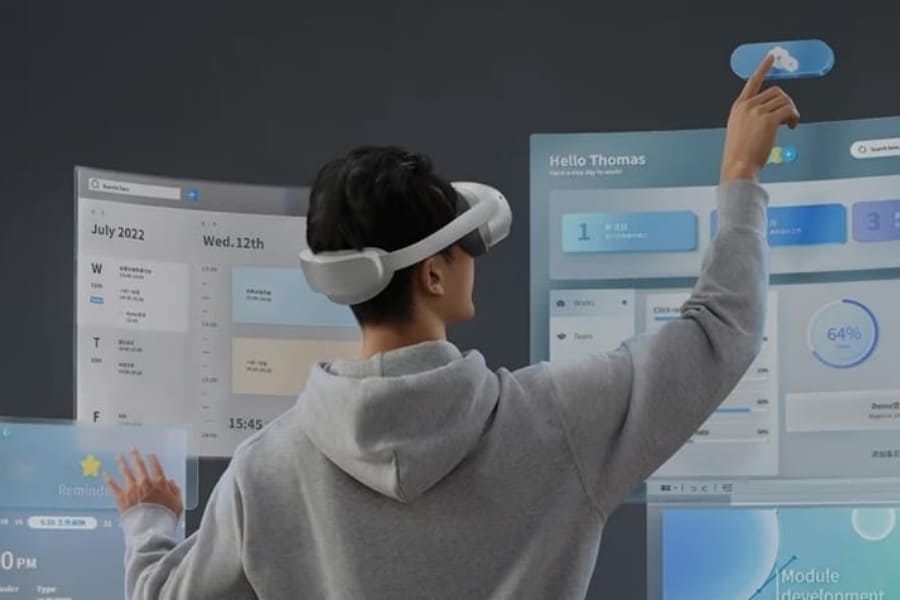
Pico Business combines a professional interface, dedicated settings, multiplayer features, and an app catalog to make managing your fleet easier.
Pico User Interface
Make it easier to access your XR content
Organize access to notifications, shortcuts, and apps in a clear interface that guides your users through their daily routines.
Business Settings
Customize your headset settings
Configure the home screen, buttons, startup, and system settings to meet your organization's needs.
Location-Based Entertainment
Create shared VR experiences
Create a shared space among multiple headsets to offer collaborative, interactive, and seamless VR experiences on-site.
Business Store
Select your XR apps
Access a catalog of business applications and select the XR content that best suits your teams' needs.
Deploy Pico Business with comprehensive support
Matts Digital supports you in setting up Pico Business across your entire fleet of AR/VR headsets, from account creation and configuration to technical support after deployment.
Configuration and commissioning
What we can handle
Creating and Configuring a Customer Account
Customizing the account to reflect the company's brand identity
Creating Users, Entities, and Access Rights
Training on the tool
Remote service via videoconference and screen sharing
Installing and Configuring Software on Headsets
Registering Devices to the Customer Account
Pre-shipment Compliance Tests
Track your fleet on a daily basis
Matts Digital can provide remote technical support, create additional accounts or entities, and update the fleet and its content upon request.
Monitor your Pico devices at scale
Centralize the management of your Pico fleet and choose the tools best suited to your needs. Matts Digital helps you organize your environment, standardize your configurations, and streamline the deployment of your devices.
Pico Business Streaming
Unlock the Power of Your PC
Connect your standalone Pico headsets to a computer to run more demanding applications, access richer content, and expand the possibilities of your VR experiences.
Deploy an enterprise-ready environment to better manage the use of your Pico headsets, customize the user experience, and organize your day-to-day XR activities.
Manage your headset fleet remotely from a centralized interface. Configure your devices, monitor their status, and streamline routine management and deployment tasks.